
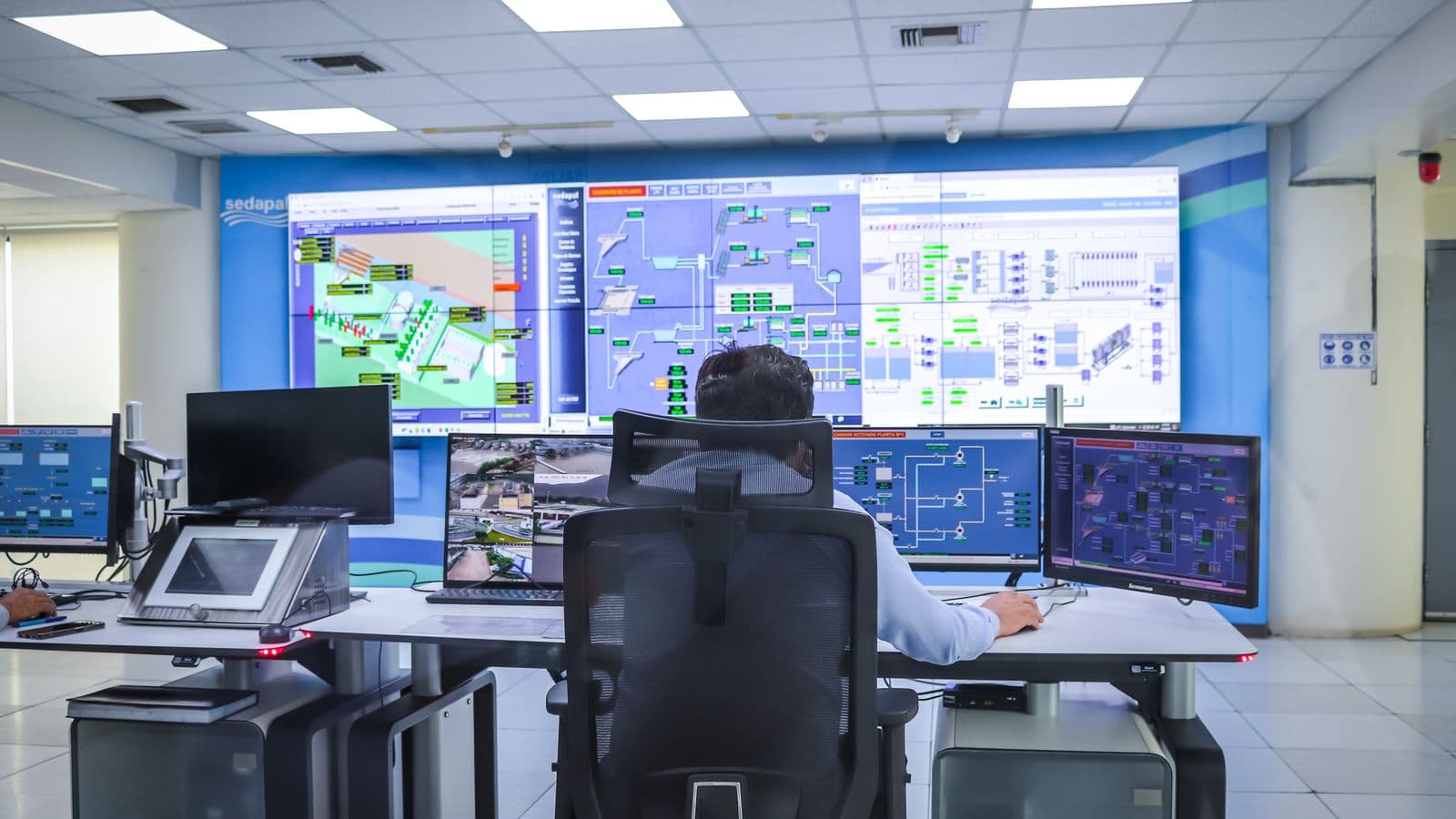
If a plant manager only finds out a line went down overnight when they walk onto the floor the next morning, that facility has a visibility problem. PLCs control machines, but a PLC alone doesn't answer "what's happening in the plant right now" centrally or historically. SCADA (Supervisory Control and Data Acquisition) fills exactly that gap: it pulls data from scattered PLCs, sensors, and panels into a single screen, logs it historically, and gives you the ability to intervene remotely when needed. This piece covers what SCADA adds on top of PLC, its typical architecture, the concrete operational gains it delivers, and the security considerations that shouldn't be overlooked in remote access.
What SCADA Adds on Top of PLC
A PLC handles local control of a machine or line, it runs its own scan cycle, executes its own logic. But if a facility has 5, 10, 20 PLCs, checking each one's status individually isn't practical. SCADA is the supervisory layer of software that collects data from these PLCs, consolidates it, and presents it in a single interface.
SCADA adds four core things on top of PLC:
- Centralized visibility: the status of every line, every machine, monitored in real time from a single screen.
- Historian (historical data logging): every measurement and state change over time is logged to a database, essential for trend analysis and post-incident review.
- Alarm management: threshold breaches, faults, and abnormal conditions are prioritized and notified to the operator and, when needed, the relevant person (SMS, email).
- Remote access: authorized users can monitor the facility's status, and in some cases intervene, from outside the site.
In short: PLC "runs the machine," SCADA "makes the facility visible and manageable."
Typical SCADA Architecture
A SCADA system's layers stack up as follows:
- Field layer: sensors, energy analyzers, limit switches, the physical measurement and sensing points.
- PLC layer: the controllers that process field signals and execute local control.
- Communication infrastructure: the network carrying data between PLCs and the SCADA server, usually a local network (LAN) built on Modbus TCP, Profinet, or Ethernet/IP over industrial switches.
- SCADA server and database: the central software that processes incoming data, logs it to the historian, and runs alarm logic.
- HMI/dashboard layer: the interface where the operator and manager see data as graphics, trends, and alarm lists, this can be a touch panel on the floor, a computer screen in the office, or a cloud-based web panel.
- Remote access layer: the layer that lets authorized users access the system from outside the facility, over a VPN or secure cloud connection.
This architecture scales from a simple HMI screen for a single line up to an enterprise SCADA system that consolidates every location of a multi-site operation into a single panel.
On-Premise SCADA or Cloud-Based SCADA?
There are two fundamental approaches, and the choice is driven by the facility's needs:
- On-premise SCADA: the server sits inside the facility, and data never leaves the company network. Preferred for data security and reduced internet dependency, but requires additional VPN infrastructure for remote access.
- Cloud-based SCADA: data is transferred to a secure cloud server and accessible from anywhere via browser. Faster to deploy and scale, but introduces dependency on internet connectivity and the cloud provider's security posture.
- Hybrid approach: critical control and alarm logic stays local, while reporting and remote monitoring are served over the cloud. This offers a practical balance for most mid-sized facilities.
The choice depends on the reliability of the facility's internet infrastructure, the IT team's capacity to manage a cloud deployment, and data sensitivity, is this competitively critical production data, or general energy consumption?
What SCADA Delivers Operationally
- Reduced downtime: when a fault occurs, which equipment and which fault is responsible gets flagged by alarm within seconds; the field team is directed straight to the right point.
- Predictive maintenance through trend analysis: historian data can show a motor's current draw rising over time, or a temperature reading trending above normal, enabling intervention before a failure occurs.
- Shift comparison: different shifts' production performance, downtime, and energy consumption can be compared objectively with data.
- Remote oversight: the facility manager can track critical parameters even outside on-site hours; an issue that develops on night shift is caught before morning rather than after.
- Automated reporting: daily, weekly, and monthly production and energy reports are generated automatically, without manual data collection.
- Integration with energy data: SCADA is the natural collection point for the measurement infrastructure covered in our energy monitoring guide, data from energy analyzers can be evaluated alongside production data on the same platform.
Alarm Management: Why It Fails When Not Configured Correctly
The most commonly misunderstood component of SCADA is the alarm system. Poorly configured alarm logic buries the operator under dozens of unnecessary alerts per hour, a condition known as "alarm fatigue", and a genuine fault signal gets lost in the noise.
Correct alarm architecture rests on these principles:
- Prioritization: alarms are classified by criticality (emergency, warning, information), only conditions that genuinely require intervention are flagged as "emergency."
- Threshold tuning: alarm thresholds are set against the equipment's actual operating tolerance; thresholds set too tight generate unnecessary alarms, too loose and real problems get missed.
- Debounce logic: a short delay is defined so momentary, transient fluctuations don't trigger an alarm.
- Notification routing: critical alarms go by SMS or email to the relevant person; routine informational alarms are only shown on screen.
Getting this configuration right is what makes SCADA get adopted as "a genuinely trusted early-warning system," rather than dismissed as "the system that keeps beeping for no reason."
Security Considerations for Remote Access
Remote monitoring is one of SCADA's most valuable features, but it's also the most commonly overlooked risk area. Cybersecurity breaches targeting industrial control systems can directly cause production stoppages, or even equipment damage. That's why remote access architecture should be built around these principles:
- Network segmentation: the SCADA/PLC network should be separated, physically or logically (VLAN), from the office/general company network, a single vulnerability shouldn't be able to jump into the facility's control system.
- VPN-based access: remote connections should go through an encrypted VPN tunnel, not a port opened directly to the internet.
- Multi-factor authentication: remote access accounts should be protected by more than a username and password, a second verification layer is required.
- Role-based authorization: each user should only access the screens and commands relevant to their role, an operator might have view-only access, while critical parameter changes are restricted to engineering.
- Access logging (audit trail): who accessed which screen, when, and what command they issued should be logged, necessary for both security and post-incident review.
- Software updates: SCADA software and the underlying operating system should be kept current, with a patch-management process for known vulnerabilities.
These measures aren't optional, particularly for energy and production facilities considered critical infrastructure, a remote-access breach risks not just data loss but physical equipment safety.
SCADA Installation Process
- Existing infrastructure assessment: which PLCs talk over which protocols, what the current network topology looks like, this inventory has to be built before installation begins.
- Defining measurement and monitoring points: which data will be collected, which parameters will be trended, and which conditions will generate alarms.
- Building the communication infrastructure: the network between PLCs and the SCADA server is built with industrial switches and, where needed, fiber or cabled infrastructure.
- Configuring the SCADA software: screens (mimic diagrams), trend graphs, alarm rules, and reports are designed in software.
- Setting up remote access infrastructure: VPN, user accounts, and the authorization structure are put in place.
- Testing and commissioning: field verification that every data point reads correctly and every alarm triggers correctly.
- Operator and manager training: training on reading the screens, alarm-response procedures, and generating reports.
Adding SCADA to an Existing Facility
Adding SCADA to a facility that already has PLCs installed is far faster and lower-cost than building an automation project from scratch. If the existing PLCs have communication outputs (most modern PLCs do), the SCADA server can connect to those outputs and start collecting data. For older PLCs without communication capability, a gateway module or PLC upgrade may be needed, a topic we cover in more depth in our legacy machine automation retrofit guide.
A phased approach is usually the most efficient: connect the most critical line to SCADA first, and expand scope as the system's value becomes visible on the floor.
Common Mistakes
- Not getting the alarm logic right from the start: an excessive volume of unnecessary alarms trains the operator to ignore real warnings, this is the most common cause of SCADA failure.
- Opening remote access without security measures: a SCADA port exposed directly to the internet leaves the facility's control system open to outside attack.
- Leaving historian data unanalyzed: collecting data alone creates no value; data that accumulates without trend analysis just occupies disk space.
- Skipping network segmentation: having the SCADA network on the same segment as the office network lets a vulnerability on an office computer reach the production system.
- Keeping authorization single-tier: giving every user the same access level increases the risk of a critical parameter being changed by mistake.
- Not planning backups: failing to regularly back up the SCADA server and its configuration risks losing all historical data and screen designs in a hardware failure.
FAQ
Do all PLCs need to be the same brand for SCADA installation? No. SCADA software can collect data from different PLC brands over standard protocols (Modbus, OPC UA, for example). Different brands can coexist, but protocol compatibility needs to be verified up front.
Does SCADA installation affect the production line? Installation adds a communication connection to the PLCs, which can usually be done without stopping production. But if the existing PLC needs a communication module added, a brief planned outage may be required.
How secure is remote access? Built with the right architecture (VPN, multi-factor authentication, network segmentation, role-based authorization), remote access sits at an industry-standard security level. Risk arises when these measures are skipped.
How long is historian data retained? This is configurable based on disk capacity and need; typically high-resolution data is kept for a few months, while summarized (trend) data can be retained for years.
Does a small facility need SCADA, or is a single HMI enough? For simple facilities with a single machine or a single line, an HMI screen is often sufficient. SCADA becomes meaningful once there are multiple lines, a need for historical data, or a requirement for remote monitoring.
How long does SCADA installation take? It depends on scope and the state of existing infrastructure; a simple single-line installation can be completed in a few weeks, while a multi-line, multi-site enterprise SCADA project can take several months.
Does the existing PLC program need to change? Usually not. SCADA connects primarily to read data, without touching the PLC's existing logic. In some cases, small program additions may be needed for extra data points.
How does SCADA data help lower the energy bill? SCADA presents data collected from energy analyzers alongside production data, showing which equipment consumes how much, at what hour, and how that relates to production, which speeds up detection of losses like idle consumption and peak demand.
SCADA turns the data PLCs produce into a coherent, traceable, manageable whole. Built with the right alarm architecture and a secure remote-access design, it's one of the most effective investments for moving facility management from reactive to proactive.
Let's talk through this together
The SOREAS engineering team can assess what's covered here for your specific facility. Reach out via the contact form or call us directly.